
AI for Influencers & Creators: How I’d Start Content Creation from Scratch Today, the Complete Stack

What This Article Covers
- How I’d set up avatars, videos, images, marketing plans, editing, and auto-posting with AI as a new creator today.
- Top providers in each category, plus local alternatives where they exist.
- Which platforms matter (TikTok, Instagram, YouTube, Facebook) and which agents handle posting automatically.
- A realistic weekly workflow with minimal time investment.
Introduction
If I started today with zero followers and had to build a channel from scratch, I wouldn’t begin with a camera. I’d start with a pipeline: AI generates the avatar, script, images, and video; an agent posts it; another agent analyzes performance. The goal isn’t “AI does everything,” but rather AI handles the 80% of production work, I focus on the 20% that actually matters: topic selection, personality, and community.
Here’s the honest truth: cloud tools are solid enough for content that performs, and almost all have local alternatives for privacy or continuous operation. This is the stack I’d actually build.
Quick Overview: My Stack at a Glance
| Task | Top Cloud Tool | Local Alternative |
|---|---|---|
| AI Avatar (Talking Head) | HeyGen | SadTalker/Wav2Lip via ComfyUI (weaker) |
| Generate Video | Veo 3.1, Kling 3.0, Runway Gen-4.5 | Wan 2.2, HunyuanVideo via ComfyUI |
| Create Images | Midjourney, FLUX.1, Ideogram, Imagen | FLUX.1-dev/SD3.5/Qwen-Image via ComfyUI |
| Edit Images | Photoshop Firefly, FLUX Context | FLUX Context locally, SDXL-Inpainting |
| Cut Videos | Descript, OpusClip, CapCut | DaVinci Resolve + Whisper + FFmpeg |
| Voice/Cloning | ElevenLabs | XTTS, Piper |
| Marketing Plans/Scripts | ChatGPT, Claude | Ollama (Qwen, Llama) locally |
| Auto-Posting | Postiz, Blotato | Postiz self-hosted + Hermes Agent |
1. Creating Avatars: My Digital Double
If I don’t want to stand in front of a camera (or need to be “present” 24/7), I’ll use an AI avatar.
Top Choice: HeyGen, the clear favorite among creators. Avatar IV is the current benchmark for lifelike movement, 175+ languages with clean lip-sync (including for translations, so a video in German automatically becomes English, Spanish, etc.). I upload a short video of myself, clone my voice, and have an avatar that delivers scripts as me. Cost: roughly $29/month (credit-based).
Alternatives:
- Synthesia, better for structured corporate or training videos, 240+ stock avatars, but stiffer for social content.
- D-ID / Tavus, for real-time avatars via API (like interactive bots), not for finished social videos.
- Argil, specialized in creating your own clone for social clips.
Local: There’s no cloud-level quality here, but SadTalker, Wav2Lip, or Hallo-2 via ComfyUI will generate talking head video from a photo plus audio file. Fine for experimenting, but I’d stick with HeyGen for my main channel.
2. Creating Videos: B-Roll and Full Clips
Video models have sorted themselves out significantly in 2026:
| Model | Strength | For Me |
|---|---|---|
| Google Veo 3.1 | Realism + native audio (sound comes with), best prompt adherence | Hero clips, cinematic look |
| Kling 3.0 (Kuaishou) | Best price-to-quality (~$0.10/sec), multi-shot mode, character consistency | My workhorse for volume |
| Runway Gen-4.5 | Maximum control: motion brush, camera moves, reference characters | When I need precise direction |
| Seedance 2.0 (ByteDance) | Longest clips (~20s) | Extended scenes |
| Hailuo (MiniMax) | Cheap, strong motion | Action/budget content |
Important: Sora as a standalone product was discontinued in April 2026 (it lives only within ChatGPT), so don’t build a pipeline around it.
Local: Wan 2.2 via ComfyUI, takes a first and last frame and generates video in between, requires 18-22 GB VRAM (RTX 4090/5090 or MS-S1 Max with 128 GB unified memory). HunyuanVideo and LTX-Video are alternatives. For volume without API costs, this is the only real option.
3. Creating Images: Thumbnails, Posts, Visuals
- Midjourney, still the style benchmark for thumbnails and editorial aesthetics.
- FLUX.1 / FLUX.2 (Black Forest Labs), realistic, fast, and the foundation for the best local option.
- Ideogram, the model that actually handles text in images properly (titles in thumbnails, logos, postcards).
- Google Imagen, strong within the Google ecosystem, clean realism.
- Recraft, if I need more design, illustration, or icon work.
Local: FLUX.1-dev, SD3.5, or Qwen-Image in ComfyUI, zero cost per image, unlimited generation, style trainable via LoRA. Image workflows run comfortably on 16 GB VRAM.
4. Editing Images
- Photoshop Generative Fill (Firefly), for extending or retouching at professional quality.
- FLUX Context, the best edit model (“change the shirt to red”) and runs locally too in ComfyUI.
- Magnific: upscaling and detail enhancement for thumbnails.
- Canva Magic Studio, quick for stories and carousels.
Local: FLUX Context plus inpainting workflows in ComfyUI covers 90% of the work.
4b. Images for Articles & Posts: Two Different Image Types
This often gets mixed up, but it’s really two separate tasks:
A) Hero / Social / OG Images (the card that appears when you share, the article header image)
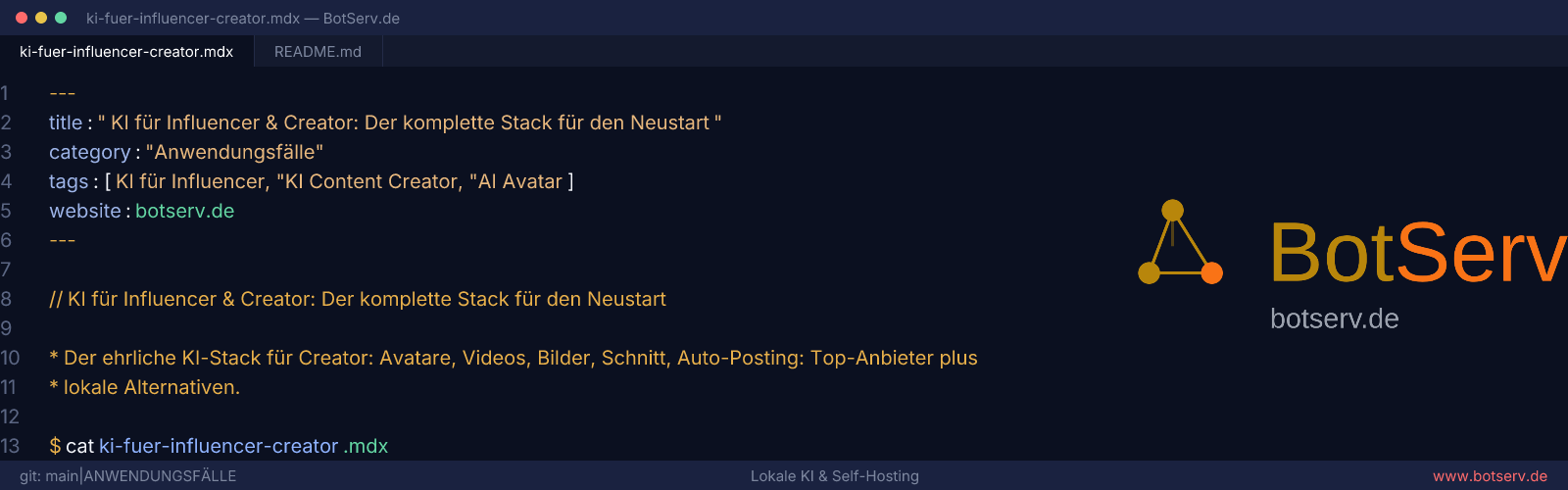
For this, AI image generation isn’t the best tool. Template generators are better because they stay on-brand, read instantly, and are endlessly reproducible. A real example: BotServ.de itself uses a Node script (generate-social-images.mjs) that automatically renders three formats from the article frontmatter: OG (1200×630), Instagram (1080×1080), and hero (1600×500), all in a consistent VS Code editor aesthetic with title, tags, and logo watermark:
node scripts/generate-social-images.mjs --slug=mein-artikel --format=og
# Internally: satori (HTML→SVG) + resvg (SVG→PNG), no AI model needed
This is the more honest approach for branded images: $0, no AI required, every image looks consistent. Tools for this: satori + resvg (what the script uses), Plaiceholder/Canva Bulk, or @vercel/og for Astro/Next sites.
B) Content Images in Articles (illustrations, architecture diagrams, example visuals)
- Illustrations/Visuals: FLUX.1, Midjourney, Ideogram, or locally FLUX.1-dev via ComfyUI.
- Diagrams: here Mermaid/Excalidraw beats any image model. AI image generators can’t produce clean diagrams, so for architecture flows, write Mermaid code instead (Ollama can do this too) rather than generating a diagram image.
Rule of thumb: branded images (hero/OG/thumb) go through a template script; content images (illustrations) use FLUX/Ideogram; diagrams use Mermaid. The script is part of the answer, but not for content images.
5. Cutting Videos: Where Most Time Gets Saved
- Descript: edit at the transcript level. I delete “um” in the text and the video cuts itself. Voice clone for corrections.
- OpusClip, the repurposing hack tool: feed in a long YouTube video and get 5-10 TikToks/Shorts with captions automatically.
- CapCut, free, auto-captions, templates that match TikTok standards.
- Premiere Pro (Firefly), if I want full control.
Local: DaVinci Resolve (free) + Whisper for transcripts and auto-captions + FFmpeg for batch exports.
6. The marketing plan, the invisible part
Before I generate a single video, I have an LLM write out the plan: positioning, content pillars, posting cadence, hooks, and formats per platform.
- ChatGPT / Claude: the base model is fine here; see my 100 ChatGPT Prompts and 100 Claude Prompts (they include ready-made content plan prompts).
- Local: Ollama with Qwen/Llama; see Ollama.
7. The platforms where you post
| Platform | Why | What AI does here |
|---|---|---|
| TikTok | Reach engine, AI content allowed (label required!) | Clips, avatars, hooks |
| Instagram (Reels) | Aesthetics plus reach plus shopping | Reels, carousels, stories |
| YouTube (+ Shorts) | Long-form for depth plus shorts for discovery | Long videos plus OpusClip shorts |
| Facebook (+ Reels) | Older demographics, groups, ads | Cross-posting of reels |
| X / LinkedIn / Twitch / Pinterest | Secondary, depends on niche | Repurpose via Postiz |
Important: All platforms now require AI disclosure for realistic AI avatars. The label is mandatory, not optional.
8. Automatic posting, the agents behind it
This is where the stack becomes a system. Auto-posting tools with real agent integration:
| Tool | Agent integration | Pricing/model |
|---|---|---|
| Postiz | CLI plus MCP Server, controllable from OpenClaw, Hermes, Claude, ChatGPT, Codex; self-hostable (AGPL) | Free self-hosted, cloud from ~29 $ |
| Blotato | n8n/Make nodes plus MCP, writes AND posts (9 platforms) | From 29 $, cloud-only |
| Buffer | MCP Server plus API | Free (3 channels), then ~6 $/channel |
| Metricool | MCP Server on every plan | Free (1 brand), from ~20 $ |
My choice: Postiz self-hosted plus Hermes Agent, exactly the setup from our Instagram Autopilot project: Hermes plans content weekly, writes captions, schedules via Postiz to TikTok/Instagram/YouTube/Facebook, notifies me via Telegram what went out, and I approve.
Warning: New accounts plus instant automation equals shadowban risk. Warm up accounts manually for 2-4 weeks first, then add agents.
9. The weekly workflow, minimal time investment
Sunday (30 min):     Hermes proposes content plan → I approve
Monday (20 min):     Scripts via ChatGPT/Claude → HeyGen renders avatar videos
Tuesday (20 min):    FLUX/Ideogram make thumbnails plus carousels → I choose
Wednesday (15 min):  OpusClip extracts shorts from YouTube video → Postiz schedules
Thursday-Saturday:   Postiz posts automatically (TikTok 18h, Instagram 19h, YouTube 20h, Facebook 21h)
Sunday:              Hermes report: what worked, what to adjust
Total: ~2 hours/week for daily content across 4 platforms.
10. Realistic costs
| Approach | Monthly |
|---|---|
| Full cloud: HeyGen + Veo + Midjourney + Descript + Postiz cloud | ~100-150 € |
| Hybrid (my way): HeyGen + Postiz self-hosted + FLUX local + Ollama | ~30-50 € |
| Full local: ComfyUI + Ollama + Postiz + SadTalker on your own GPU | ~0 € after hardware |
11. The zero-cost option: everything on a Ryzen AI Max+ 395/495
Can the whole stack run for zero monthly costs? Yes, with one caveat. The hardware foundation is a mini PC with Ryzen AI Max+ 395 (or its 495 successor): unified memory up to 128 GB, with up to ~96 GB usable as GPU memory. This is the only mini PC class where large models run meaningfully; see MS-S1 Max.
What runs entirely local on this:
| Task | Local tool | Quality vs. cloud |
|---|---|---|
| Images | FLUX.1-dev / Qwen-Image via ComfyUI | ≈ 90% of Midjourney |
| Image editing | FLUX context locally | ≈ Cloud version |
| Video | Wan 2.2 / HunyuanVideo via ComfyUI | Good for B-roll/clips, weaker on face motion |
| Scripts/plan/captions | Ollama (Qwen 2.5/3, Llama) | Sufficient to good |
| Voice | XTTS / Piper | Okay, ElevenLabs is more expressive |
| Transcript/captions | Whisper | ≈ Cloud quality, free |
| Editing | DaVinci Resolve (free) + FFmpeg | Manual work, no auto-clip |
| Hero/OG/thumbnails | generate-social-images script (satori+resvg) | Better than AI for branding |
| Auto-posting | Postiz self-hosted + Hermes Agent | Identical, no cloud requirement |
The honest exception: avatars. Getting a photorealistic digital double like HeyGen locally isn’t feasible right now. SadTalker/Hallo-2/Wav2Lip create talking heads from photo plus audio, but they’re noticeably stiff. Three options: (a) pay for HeyGen avatar clips only (~29 $/month) and run everything else locally, this is my hybrid recommendation, (b) record yourself on camera and use AI only for script/editing/images, or (c) avatar-free formats: slideshow videos, screen recordings, text-on-video. For those, the local stack is completely sufficient.
Realistic for zero monthly cost: Ryzen AI Max+ 395 (one-time hardware, ~2000 € for the MS-S1 Max) plus ComfyUI plus Ollama plus Whisper plus Postiz plus Hermes Agent plus DaVinci. With this you produce daily image posts, shorts with local voices, and local video B-roll. Only if you want a genuine speaking avatar do you keep paying HeyGen.
Further reading
- IRC-Coding.de: Programming tutorials on building your own content pipelines.
- Instagram Autopilot project: The agent in detail.
- Postiz: Self-host auto-posting.
- Hermes Agent: The controlling agent.
- ChatGPT Prompts: Content plan prompts.
- ComfyUI: Local image and video generation.
- MS-S1 Max: Hardware for local operation.
Key takeaways:
- Starting out as a creator means building a pipeline, not buying a camera: avatar (HeyGen) plus video (Veo/Kling, locally Wan) plus images (FLUX/Ideogram, locally ComfyUI) plus editing (Descript/OpusClip) plus planning (ChatGPT/Claude) plus auto-posting (Postiz plus Hermes Agent).
- The top providers are researched and current: HeyGen for avatars, Veo 3.1/Kling 3.0 for video, FLUX/Midjourney for images.
- Every category has a local alternative: ComfyUI plus Ollama form the backbone.
- Auto-posting: Postiz (self-hosted, MCP/CLI, agent-controllable) beats Blotato/Buffer for the automation approach.
- Split article images into two types: hero/OG/thumbnails via template script (satori+resvg, like BotServ’s own generate-social-images), content images via FLUX/Ideogram, diagrams via Mermaid.
- Zero monthly cost works on Ryzen AI Max+ 395 (128 GB unified memory): ComfyUI plus FLUX plus Wan plus Ollama plus Whisper plus Postiz, everything local. Only real gap: avatar quality (HeyGen remains the cloud exception).
- ~2 hours/week for daily multi-platform content after setup; the rest runs on agents.
- Obligations: AI disclosure for avatars, warm up accounts before automation.
FAQ
Which AI avatar should I use?
Which AI video tool?
How do I post automatically?
Can everything run locally?
Which platforms first?
How do I create article images?
Can the stack run for zero monthly cost?
How much time do I really need?
Sources and further reading
- HeyGen, Synthesia, D-ID, Tavus: Avatar platforms.
- Google Veo, Kling, Runway, Seedance: Video models.
- FLUX, Midjourney, Ideogram, Recraft: Image models.
- Descript, OpusClip, CapCut: Editing.
- Postiz, Blotato, Buffer, Metricool: Auto-posting.
- ComfyUI, Wan, SadTalker: Local alternatives.
- IRC-Coding.de: Programming tutorials.